New Training Videos Available
Introduction of scheduled emails
- We added a new setting under your company profile that allows you set a starting time every day to send scheduled emails (so that you don’t receive your email in the middle of the night).
- It’s only connected to the Form Scheduler app for now, but we will be connecting all other feature of MySafetyAssistant soon!

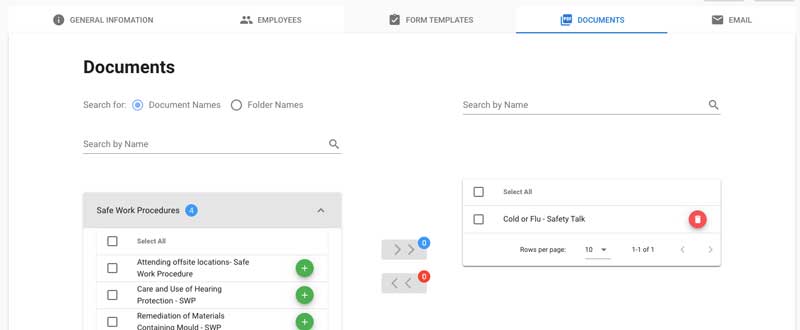
Scheduler now supports documents!
- The form scheduler app can now schedule document to be signed by your employees.
Scheduler dashboard has been added
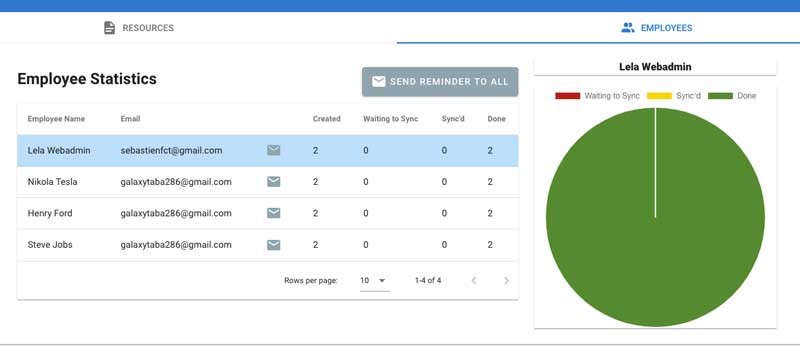
- A dashboard has been added to the scheduler so that you can easily track your employee’s forms. It gives you a quick peek of:
- Who did and did not download their scheduled forms
- Who already signed their forms and sent them back for review
- It also allows you to send reminders to your employees
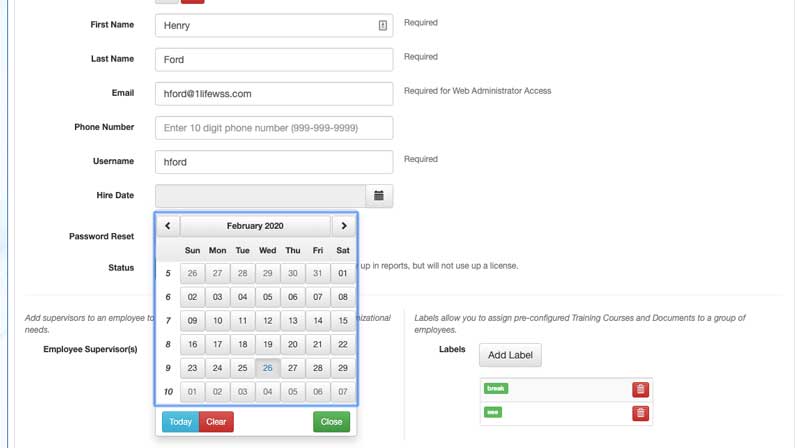
Employee’s hire date has been added
- You can now track the employee’s hire date through the system.
- Make sure to download and use the new excel spreadsheet for mass uploading your employee!
You can now filter your form by their privacy status
- You can now quickly retrieve all your private and/or public forms via the form filters

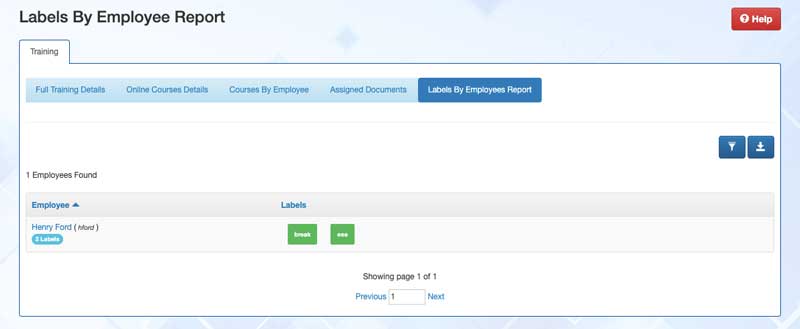
We added a new report for labels per employee
- Under the report section, you now have access to the “Labels by Employees Report”.
Multiple enhancement on mobile app
- The mobile app has seen few UI enhancement:
- Forms won’t be flagged as “has been updated” when you open and close them immediately
- Completed By signature is properly displayed as “required” for to-dos
Other items
- We fixed an issue with notifications that were being sent when un-resolved corrective actions were assigned to a user within a finalized form