

New Tutorial Available!
A new demonstration video of mSA Scheduler has been published to our knowledge base.
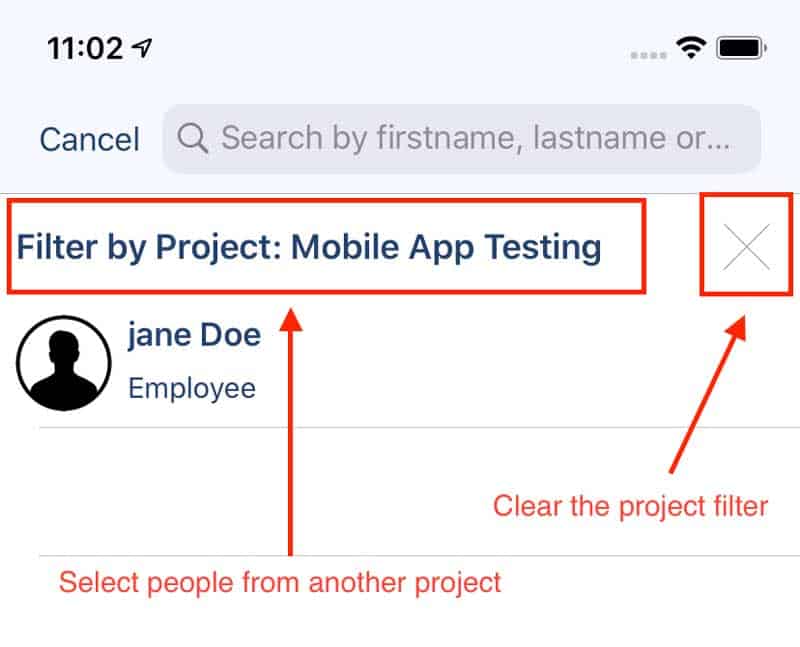
Project filtering for employee list
- You can now automatically filter employee lists by projects. If all your forms are being processed by employees within the same projects, switch this setting on in your company profile.

- Their mobile devices will then automatically display employees sharing project with the logged in user (when signing a form or assigning a corrective action for example).
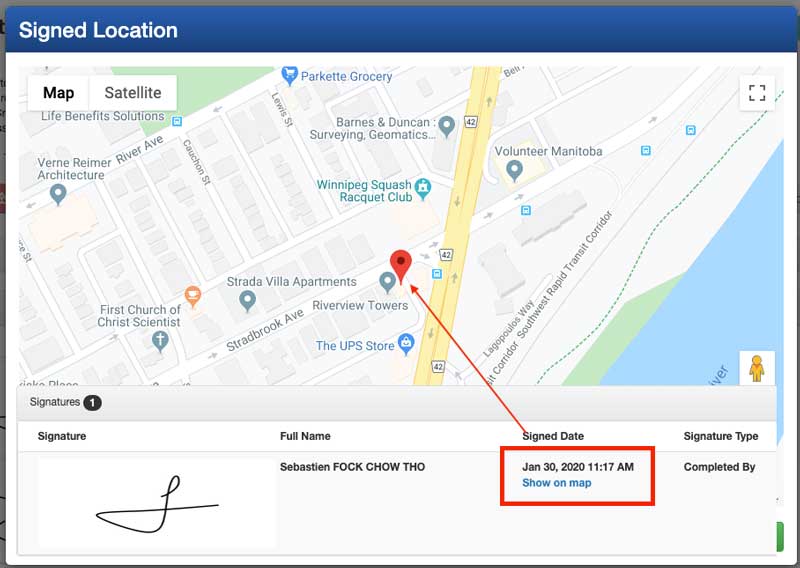
- When reviewing a form on the web-tool, you can now see the location it was filled out. Location permissions for my
SafetyApp must be turned on for every device, to use this feature.
GPS coordinates now displayed on the web-tool
- When reviewing a form on the web-tool, you can now see the location it was filled out. Location permissions for my
SafetyApp must be turned on for every device, to use this feature.
Other items
Mobile notifications now include the name of your organization
- This enhancement will come handy if you’re using the group administration of mySafetyAssistant: when a form is assigned to you, you’ll receive a notification with the name of the organization it was assigned through.
Restoration of the “new update available” on mobile devices
- Devices running on iOS 11 or greater will now correctly display the prompt if any new update is available from the store.
We resolved the issue with “Secured” PDF generated from MSA Exporter
- There was an issue when generating a PDF from the Exporter being locked from printing. It’s been resolved.